A subathon timer built to keep running when everything else stops
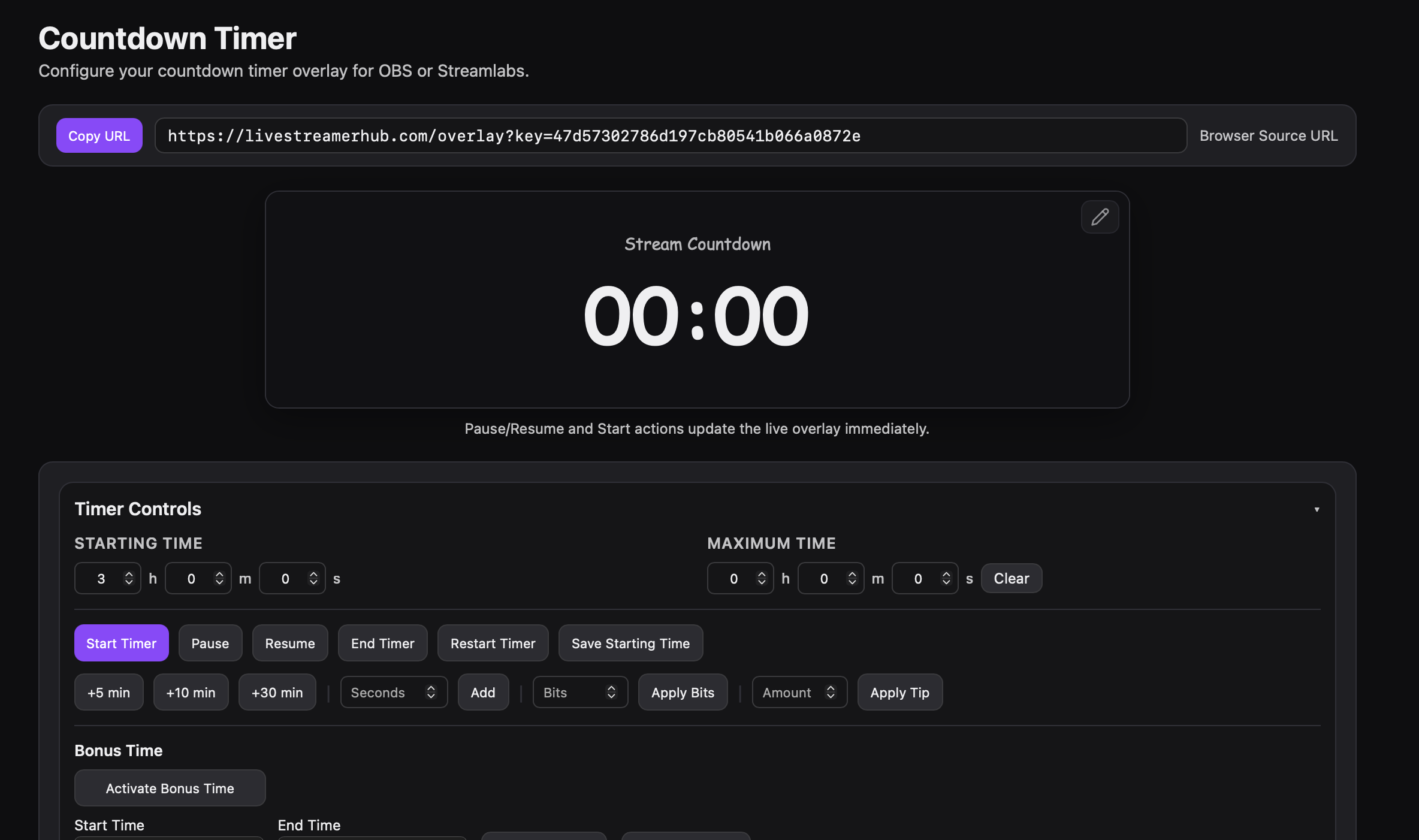
Viewers add time with Bits, subs, gifted subs, follows, and hype trains. You control pace with pause, resume, and manual time adjustments — all from a browser-source overlay that reconnects on its own if anything drops mid-stream.
What is a subathon timer?
A subathon timer is a countdown clock, usually shown as a stream overlay, that adds time whenever viewers support the stream — Bits, subs, gifted subs, follows, or donations. The stream keeps going as long as the timer has time left, which is what makes subathons feel like a shared, collaborative event instead of a fixed-length broadcast.
Everything a subathon needs, in one overlay
Fully configurable countdown timer for subathons, charity streams, and any event where viewer contributions keep the clock alive.
- Live style editor with real-time overlay preview
- Bits, subs, gift subs, follows, hype train, and charity donations all add time
- Pause, resume, and manual time controls when you need them
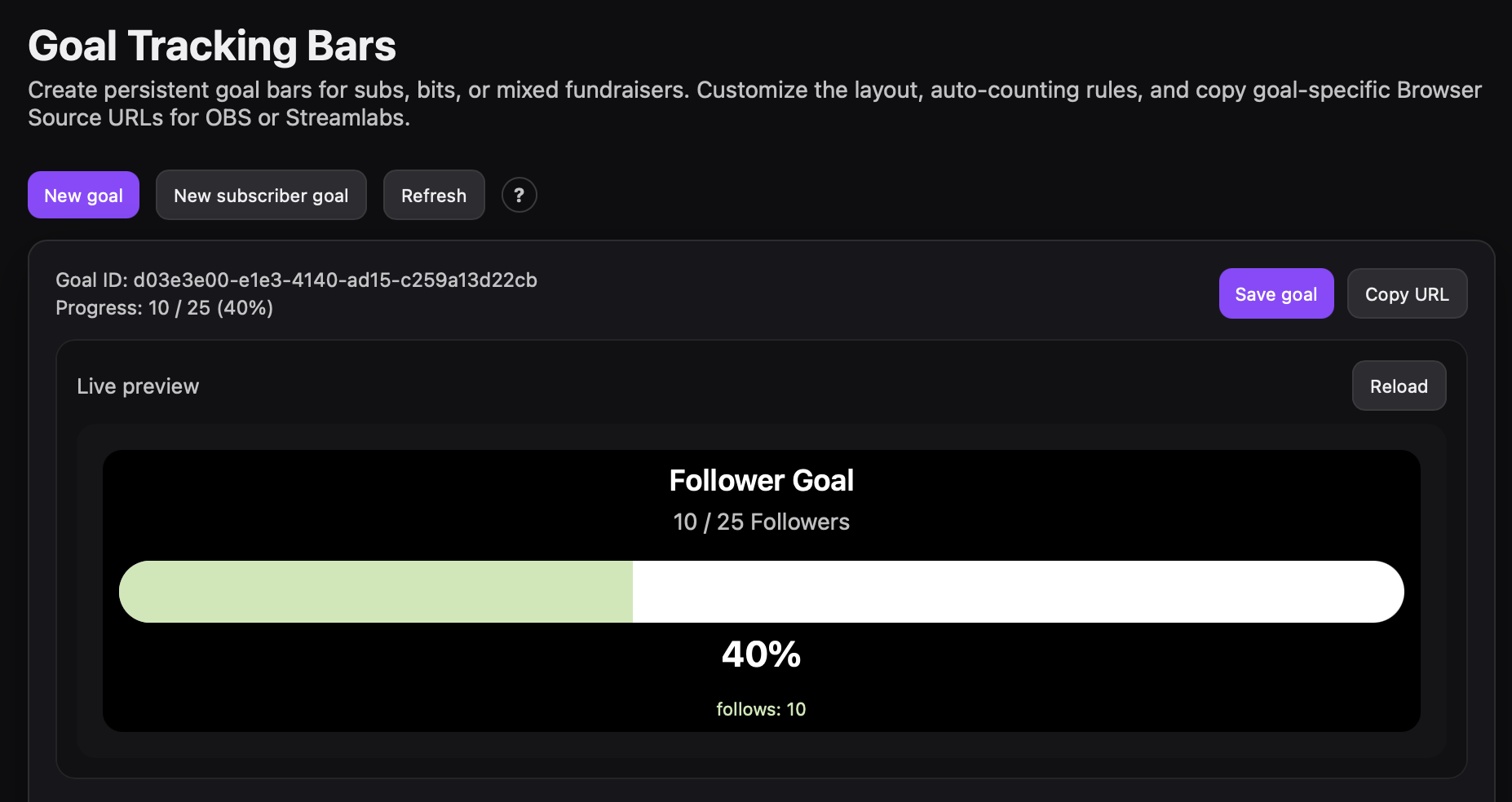
- Goal bar trackers for milestone fundraising
- OBS Browser Source URL generated automatically — no manual widget setup
- Reconnects automatically if your connection drops mid-stream
How streamers actually set up their subathon rules
There's no single right way to configure a subathon timer — it depends on your typical Bits and sub volume, and how long you want a stream to be able to run. Rather than guess, here's what's actually configured across active Livestreamer Hub broadcasters right now.
| Trigger | Median setup |
|---|---|
| Bits | 50 Bits = +30 sec |
| Tier 1 Sub | +5 min |
| Tier 2 Sub | +10 min |
| Tier 3 Sub | +15 min |
| Tier 1 Gift Sub | +5 min |
| Hype Train | 2× multiplier |
| Manual Bonus Time | 2× multiplier |
| Charity Donation | +60 sec per $1 |
The growth-focused setup
Common on channels that are actively building an audience — a low Bits threshold so small cheers still matter, and a follow bonus turned on so every new follower feels worth something too.
- Bits10 Bits = +30 sec
- Tier 1 / 2 / 3 Sub+3 / +5 / +10 min
- Follow bonusEnabled
The high-stakes setup
Common on channels with an established base — subs and gifted bombs do the heavy lifting, tier scaling is steep, and the timer is built to swing hard on big moments rather than steadily from small ones.
- Bits50 Bits = +1 min
- Tier 1 / 2 / 3 Sub+3 / +12 / +24 min
- Gift subsScaled separately from subs
A few other patterns worth knowing: about 1 in 4 active broadcasters (26%) also enable a follow bonus. Only 11% stack their manual Bonus Time multiplier on top of Hype Train — most treat them as alternatives rather than combining them. And 37% set gift subs to automatically match their regular sub-tier values instead of pricing them separately.
Common questions
Does the timer keep running if my stream or computer crashes?
Yes. Timer state lives on our server, not your browser or OBS. If your computer or stream crashes and you reconnect, the countdown picks up exactly where it left off — nothing to re-enter.
Do I have to reconfigure my alerts and overlay every time I go live?
No. Your timer rules, sound alerts, and overlay style are saved to your account and stay in place from stream to stream.
Can I check everything is working before I go live?
Yes — the "Verify Connection" button in the configurator confirms both your Twitch connection and your overlay are active, so you can check in OBS before you're live, not during.
Does it work with OBS, Streamlabs, or other broadcasting software?
Yes. The timer runs as a standard Browser Source URL, so it works with OBS, Streamlabs, and any software that supports browser sources.
Can viewers add time with something other than Bits?
Yes — subs, gifted subs, follows, hype train, and charity donations can all be configured to add time, and you control how much each one is worth.
Is it free?
Yes. The core timer, overlay, and Bit Alerts are free to use.